Renaming Files in Windows
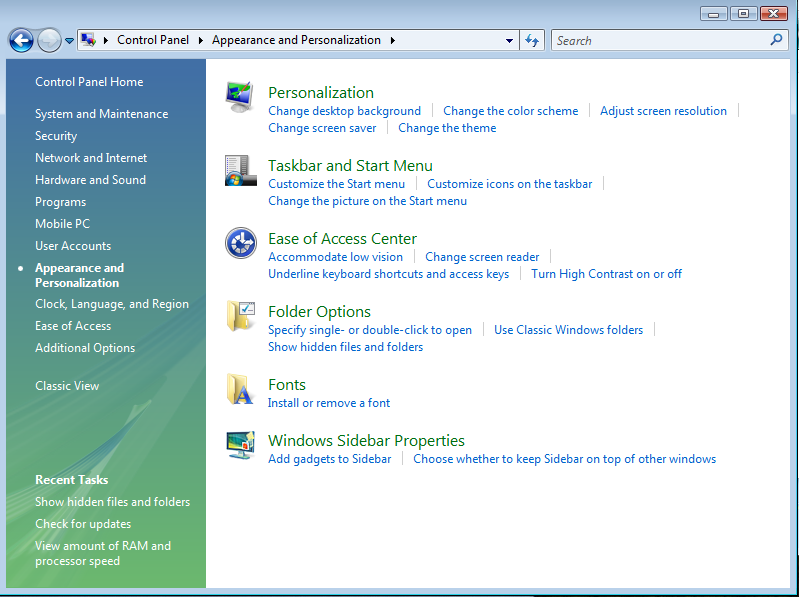
Then locate the option "hide extensions for known file types," which is in the window beneath Advanced settings. Uncheck the box right in front of it:
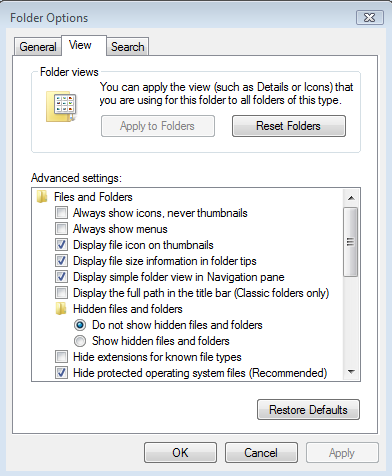
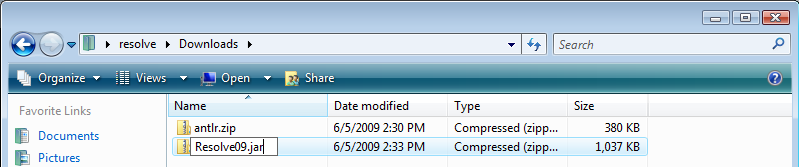
Click "OK," close out the Control Panel, and browse to the folder where the zipped files were saved. Now the all the files should have an extension visible. Right click on antlr.zip and click "Rename." Position the cursor at the end of the filename, backspace over "zip," and type "jar" at the end of filename. See the screenshot below:
When finished typing the new extension, push enter. This will bring up a confirmation box with a warning like the one below:
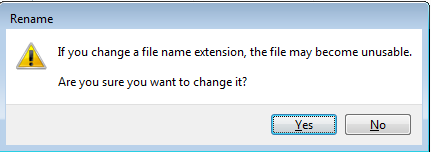
Click "OK" on the warning box and the renaming of the file will be complete. Now repeat the process with the Resolve09.zip. When both files have been fixed, click HERE to return to the Windows installation instructions.