Using the RESOLVE Compiler/Verifier from the Command Line
Common RESOLVE Compiler/Verifier options
| -translate +bodies | used to create Java source files |
| -vcs | used to generate verification conditions |
| -vcs -quickprove | used to prove a subset of the generated VC's ** |
| -vcs -isabelle | used to generate VC's compatible with the Isabelle proof assistant |
Compiling with RESOLVE
|
cd C:\Users\resolve\Downloads\workspace\RESOLVE\Main\Facilities\Users\Stack_Examples\ java edu.clemson.cs.r2jt.Main -translate +bodies Alt_Rev_Stack.fa |
The first command changes the directory to location of the example file and the second invokes the compiler. Once the facility has been compiled, the newly created Java file (Alt_Rev_Stack.java) is ready to compiled with the Java compiler using the command:
Currently the RESOLVE compiler does not automatically compile all the required concept files, so it is likely that the Java compiler will complain and list a bunch of errors at this point. The screen shot below shows the errors in this example.
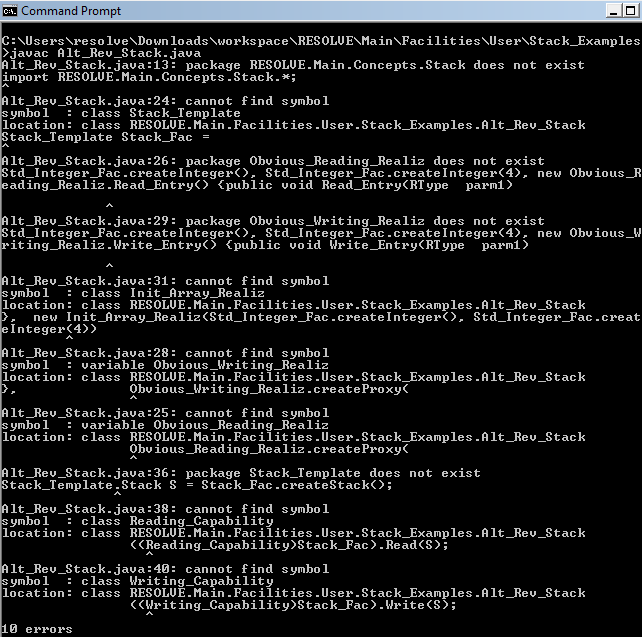
By examining the errors, the missing concept files can be indentified:
Obvious_Reading_Realiz.rb
Reading_Capability.en
Obvious_Writing_Realiz.rb
Writing_Capability.en
Init_Array_Realiz.rb
Once the missing files have been identified, they need to be RESOLVE compiled so that the Java compiler has what it needs to create the program. Use the following commands to change to the stack concept files directory and compile the concepts:
|
cd ../../../Concepts/Stack java edu.clemson.cs.r2jt.Main -translate +bodies Stack_Template.co java edu.clemson.cs.r2jt.Main -translate +bodies Obvious_Reading_Realiz.rb java edu.clemson.cs.r2jt.Main -translate +bodies Reading_Capability.en java edu.clemson.cs.r2jt.Main -translate +bodies Obvious_Writing_Realiz.rb java edu.clemson.cs.r2jt.Main -translate +bodies Writing_Capability.en java edu.clemson.cs.r2jt.Main -translate +bodies Init_Array_Realiz.rb |
Now that all the necessary files have been compiled, use the following commands to change back to the example directory and run the Java compiler:
|
cd ../../Facilities/User/Stack_Examples javac Alt_Rev_Stack.java |
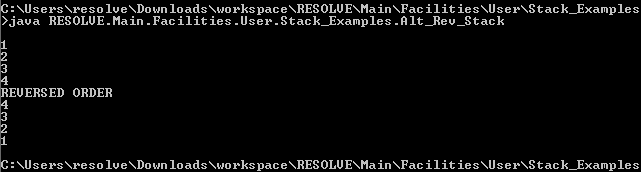
If there aren't any errors at this point, the example program is ready to test. Use the java command to run the program:
Enter four integer values, they can be on the same line separated by spaces or each can be entered separately followed by the enter key. After the fourth integer has been entered and the enter key is pressed, they should be printed to the command prompt in reverse order, as seen below:
RESOLVE Verification
|
cd ../../../Concepts/Unbounded_Stack java edu.clemson.cs.r2jt.Main -vcs Obvious_Flip_Realization.rb |
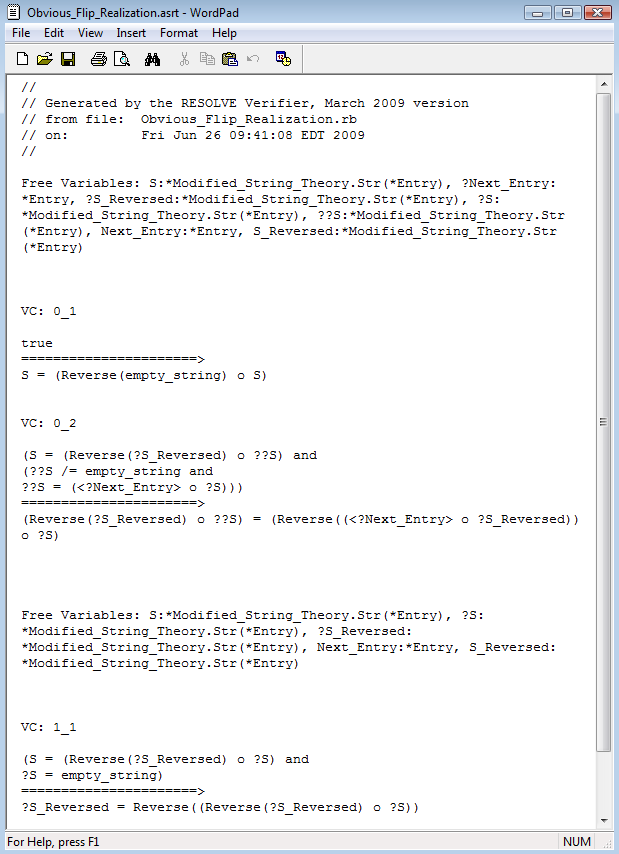
The generated VC's are found at Obvious_Flip_Realization.asrt. The verification conditions generated by RESOLVE for Obvious_Flip_Realization.rb are seen below. Any issues with VC generation can be directed to Heather Harton at Clemson University.
RESOLVE Automated Proving
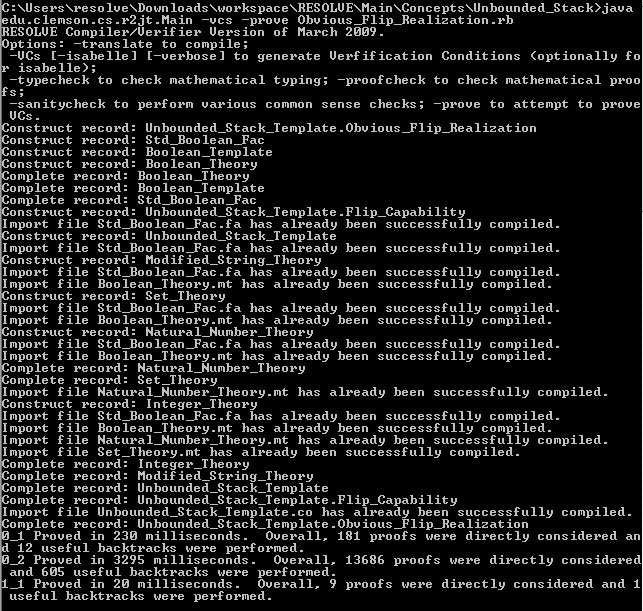
Notice that the last lines of the output state that the RESOLVE was able to prove all three of the generated verification conditions. Contact Hampton Smith at Clemson University about any problems with the automated prover. The last choice on the list of common options uses the -vcs and -isabelle flags. Using the -isabelle flag makes the compiler generate the verification conditions in a format that is compatible with the Isabelle proof assistant. Isabelle VC's will be created and saved using the -thy extension.
For more information, check out the Documentation Page.